A website without a connection is a blank page. An app does not have to be. Offline content is one of the clearest advantages a native app has over a mobile website, and it matters more than most teams expect. Field staff in rural areas, travelers, students in buildings with weak reception, volunteers at outdoor events and commuters underground all benefit from content that simply works.
Apps built from WordPress with AppPresser support fully offline pages and downloadable media. Here is how to use them well.
Decide what must work offline
Not everything needs to be offline. Focus on content that people need when connectivity is poor or that they come back to again and again:
- Reference material like policies, procedures, guides and handbooks
- Schedules, maps and venue information for events and conferences
- Training content and checklists for staff or volunteers
- Podcast episodes, audio and video people want to take with them
- Emergency contacts and safety information
News feeds and live data, by contrast, should stay online and refresh when the connection returns.
Offline pages
Offline pages are bundled into the app or stored on the device so they open instantly without a network. They are ideal for content that changes rarely, such as an employee handbook or an event map. When the content changes in WordPress, the app can refresh its stored copy the next time it connects.
Downloadable media
For audio and video, users can download items to their device and play them later. A podcast app can let listeners save episodes before a flight. A training app can let staff download lessons before heading to a job site. Downloads should show their size and let users remove them to free up space.
Caching what users have seen
Beyond explicit offline pages, apps can keep recently viewed content available so a dropped connection does not interrupt reading. Good apps also show a clear, friendly message when something cannot load, rather than a spinner that never ends.
Content design for offline
Offline content works best when it is structured. Use custom post types and clean fields in WordPress so the app knows exactly what to store. Keep images optimized, avoid embeds that require a connection, and break long documents into sections people can navigate easily. Our WordPress development approach helps here.
Sync and freshness
Offline content raises a fair question: how do you make sure people are not reading outdated information? Show the last updated date, refresh stored content when the app opens with a connection, and use push notifications to tell people when important content changes so they open the app and pull the update.
Storage and privacy
Respect device storage by downloading only what users choose or what is essential. Do not store sensitive personal data offline unless there is a clear need and appropriate protection. Content protected by login in WordPress should remain protected in the app.
Use cases we see often
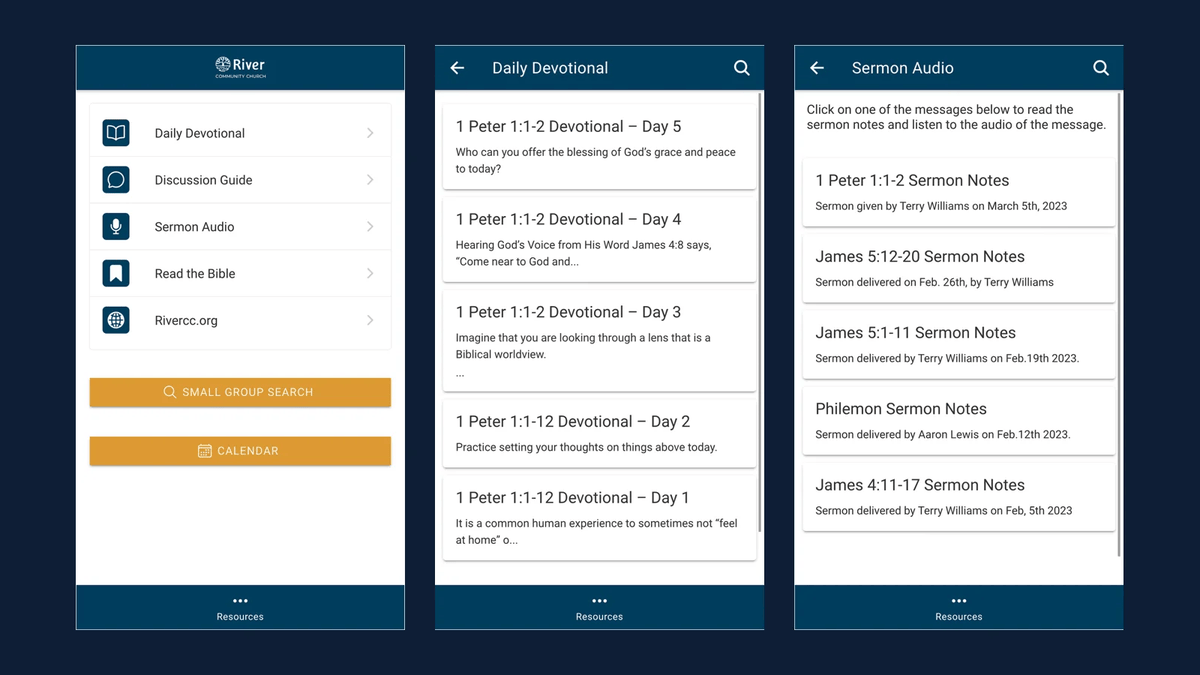
Schools and districts use offline content for handbooks and emergency procedures. Community media and churches offer downloadable audio and video. Associations and conferences bundle schedules and maps. Field teams carry procedures and forms. Each starts with the same question: what do people need when the signal drops?
Performance benefits of offline thinking
Designing for offline also makes apps faster online. Content stored on the device opens instantly, images that are already cached do not need to be downloaded again, and the app feels responsive even on a slow network. The same habits that make offline work, such as optimized media, structured content and small payloads, improve the experience for everyone. When we plan an app, we treat offline support and performance as two sides of the same goal: an app that never makes people wait.
Offline content checklist
- List the content people need without a connection
- Mark reference content as offline pages
- Enable downloads for audio and video with clear sizes
- Show last updated dates and refresh on reconnect
- Friendly messages for content that needs a connection
- Avoid storing sensitive data offline
- Test in airplane mode on real devices
Frequently asked questions
Does offline content require a custom app?
No. Offline pages and media downloads are AppPresser features you can configure.
How does offline content get updated?
When editors update WordPress, the app refreshes its stored copy the next time it connects.
Can protected content be available offline?
It can, with care. We review what is stored and how access is controlled.
Want an app that works anywhere? Start with our guide to turning your WordPress site into an app.