Push notifications are the reason many organizations want an app in the first place. Email gets buried and social reach is unpredictable, but a well timed push lands directly on the lock screen. When your app is connected to WordPress, those notifications can be sent by the same people who already publish your content, from the dashboard they already know.
This guide covers how push works in a WordPress powered app built with AppPresser and how to use it without annoying your audience.
How push works with WordPress
Apple and Google each run a push service for their platforms. When someone installs your app and allows notifications, the device registers with that service and your app records the device so it can be reached later. When WordPress sends a notification, it goes through the push service to the right devices.
With AppPresser, push is included and can be triggered three ways: from the WordPress dashboard, through the AppPush plugin that integrates with your site, or through an API for custom workflows. Your editors do not need to touch a separate marketing console.
Ways to send
- Manual messages written by an editor, such as a snow day or a sale announcement
- Automatic alerts when a new post, episode or event is published
- Scheduled messages for planned moments like a service start time or a webinar
- Event based alerts triggered by site activity, such as BuddyPress messages and mentions in a community app
- Messages sent from other systems through the API, like an order status or a safety alert
Segment your audience
Not every message is for everyone. Segments can be based on topics people choose, their user role, their membership level or their location. A school district can send a closure to one school's families. A publisher can let readers follow only the sections they care about. Relevant messages get read; irrelevant ones get notifications turned off.
Real examples
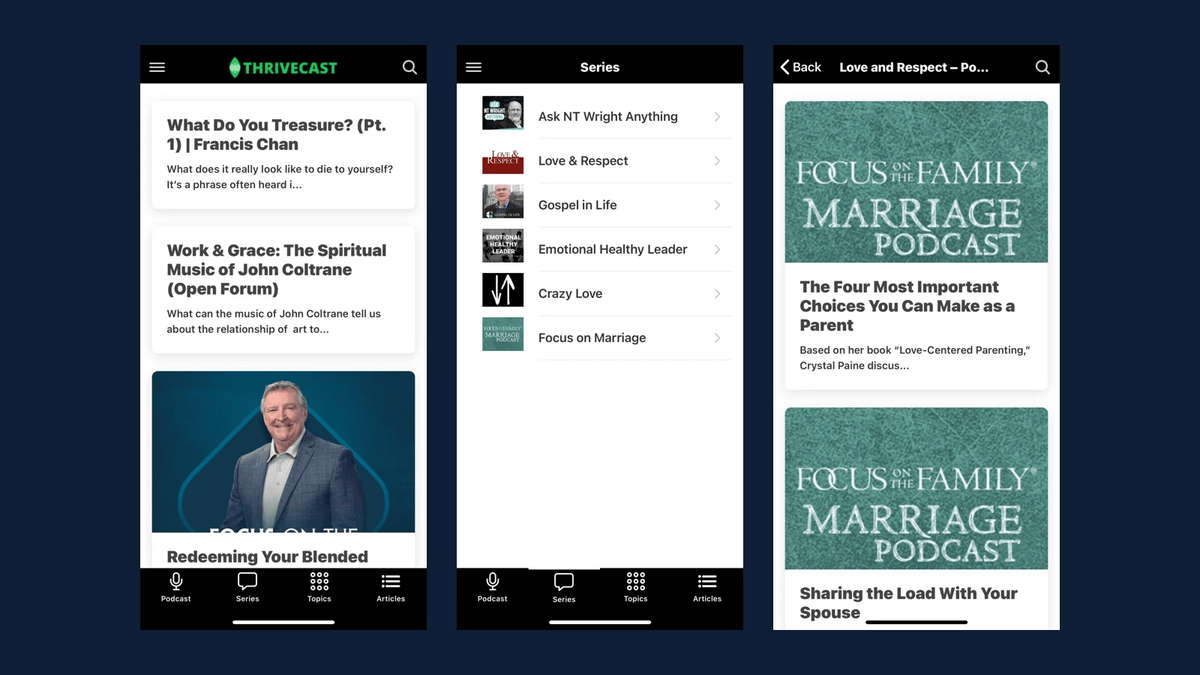
For the Newark Public Schools app, push alerts announce events and safety notices across the district. News apps, such as Nairametrics, and podcast apps, such as Thrivecast, are natural fits for alerts about breaking stories and new episodes. Community apps can use message and mention alerts to keep conversations moving.
Best practices for push
- Ask for permission at the right moment, after explaining the value, rather than on first launch
- Keep messages short, specific and actionable
- Deep link each notification to the exact content it mentions
- Respect time zones and quiet hours
- Watch open rates and opt outs, and send less if opt outs rise
- Never send sensitive personal information in a notification
Technical setup for developers
On the WordPress side, push relies on your app's configuration, valid credentials for Apple and Google push services and a reliable way to trigger sends. We hook automatic notifications into WordPress actions such as a post transitioning to publish, add custom post type support where needed and log every send. For custom triggers, a small plugin can call the push API when a WooCommerce order status changes or a form is submitted. Background processing keeps large sends from slowing down the site.
Measure what matters
Track delivery, opens and what users do afterward. Analytics in the app show whether notifications drive reading, purchases or registrations. Use those numbers to tune frequency and content.
Writing notifications people want
Good push copy is short, specific and useful. Lead with what changed and why it matters to the reader: a schedule change, a new episode from a favorite show, a game result or an order on its way. Avoid vague teasers that make people open the app only to feel misled. Use titles sparingly and keep the body under a sentence or two, since lock screens truncate long messages. Test a few versions of important messages with small segments before sending to everyone. Over time, a consistent tone and dependable value train your audience to open your notifications instead of swiping them away.
Push notification checklist
- Push credentials configured for iOS and Android
- Permission prompt timed after showing value
- Automatic alerts mapped to the right content types
- Segments based on topics, roles or locations
- Deep links on every notification
- Quiet hours and frequency limits
- Logging and analytics reviewed monthly
Frequently asked questions
Is push included with AppPresser?
Yes. Push notifications are included at no extra cost.
Can we send push to website visitors too?
Web push is a separate channel with different rules. App push reaches people who installed your app.
Can push be automated from WordPress?
Yes. New content, community activity and custom events can all trigger notifications automatically.
Want push in your app? Visit our AppPresser page or read how to turn your WordPress site into an app.